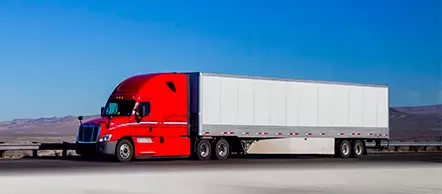
This Top-3 covers three different driver categories and needs. If you use any of these three, they’ll get you to the right place with minimal risk.
Let’s take a closer look at each GPS app, comparing prices and reviews from real users.
All pricing is effective on September 18, 2025 and taken from official resources. These apps have different plans and will include links to buy from official, certified resources.
This app offers three plans: Free, Gold, and Diamond. A 7-day trial is available for the Gold and Diamond plans.
This is a one-time payment for a lifetime North America license with 3 years of map updates.
| For Truck Drivers | |
|---|---|
| Truck Premium + Carplay/Android Auto | Regular price: $209.99 with discount $94.99 |
| Truck Premium | Regular price: $169.99 with discount $64.99 |
| For RV Drivers | |
| Caravan Premium + Carplay/Android Auto | Regular price: $139.99 with discount $79.99 |
| Caravan Premium | Regular price: $99.99 with discount $49.99 |
| Add-ons | |
| Head-up Display | $6.99 |
| Speed Cameras | $11.99 |
| Real-Time Traffic | $11.99 |
| CarPlay | $29.99 |
All discounts run until September 29, 2025 per the official resource. My recommendation: ask them for this discount even if the price goes back to regular. Don’t forget — they’re more interested in you than you are in them. You have other great platforms. Now let’s go to the next one: CoPilot GPS Navigation.
This app comes with three different plans for three different audiences. All plans include a 14-day free trial, and after purchase you get voice-guided offline navigation, route planning, and traffic conditions.
Also available: worldwide maps for car navigation for $26.99. If you plan to travel outside the United States, you have an all-in-one app.
This is a great app and a strong solution on the market. I’ve used this app before and like it for the interface, the convenience of information, and how easy it is to understand and find pretty much everything you need. The app gives you a huge database of:
This is the most popular app for truckers in North America. It’s also widely used as a truck GPS iPhone solution thanks to its clean interface, fast performance, and accurate truck‑specific routing. It was built specifically for truck drivers. If we look at Trucker Path data, they have more than 1,000,000 users (truck drivers). Every driver needs the ability to find truck stops and check parking availability.
Trucker Path has more than 500,000 truck stops in the app for the USA and Canada. Each truck stop has its own page with details such as:
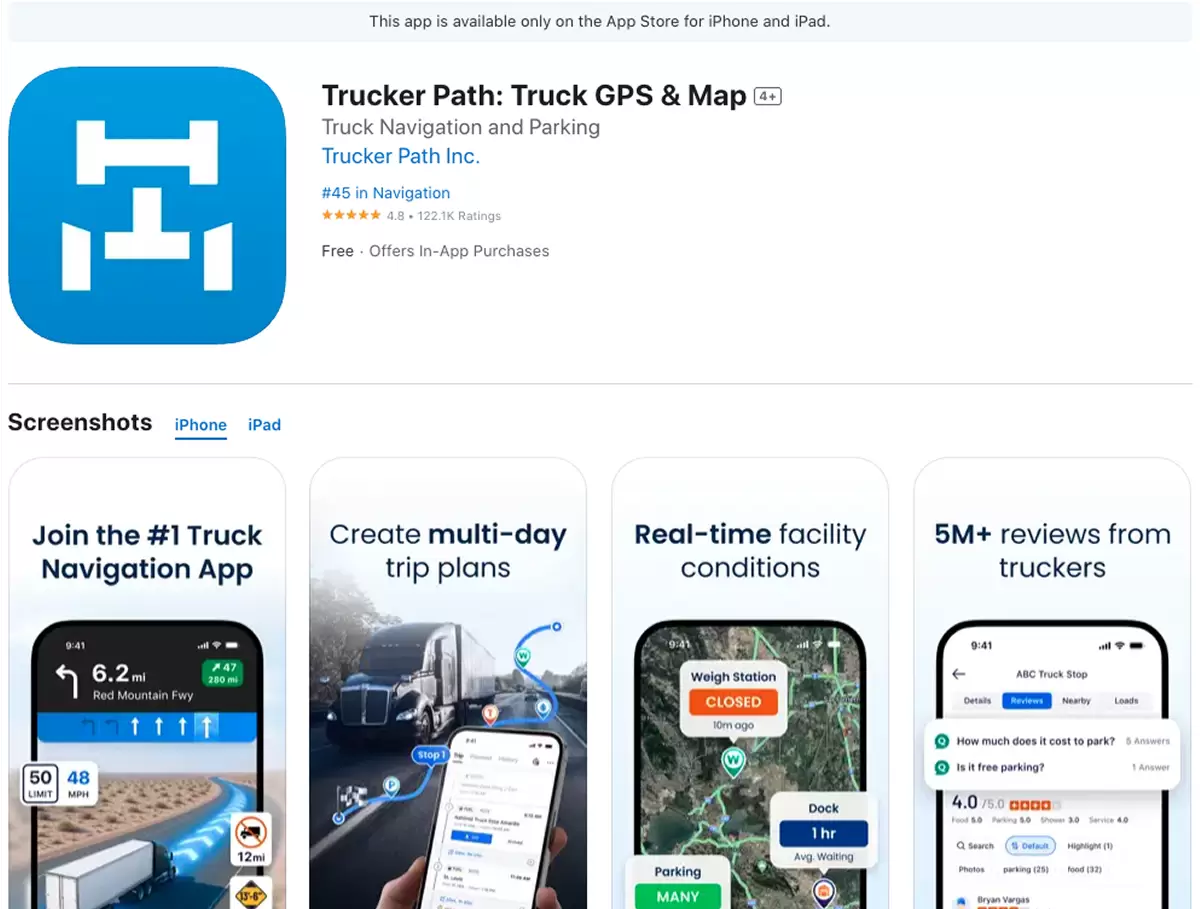
Truck GPS gives routes specifically for trucks by weight, height, and type. It aims to avoid sharp turns, low bridges, bad or narrow roads where there’s a high chance to get stuck or damage equipment. For convenience at night, Trucker Path has night-mode navigation.
I want to highlight parking lots: it has Walmart locations with overnight truck parking, plus real-time parking availability, status history, and even status predictions, which is great for any truck driver and helps every day to stay on the road.
We’ll look at user reviews and ratings to understand the right pros and cons. I’ll also add my own experience using this app.
| Pros | |
|---|---|
| Parking intelligence | Live status helps find a spot fast; core reason many keep the app. |
| Weigh stations | Open/closed status and notes are useful. |
| Where to stop & how to get in | Accurate entrances/exits for shippers, receivers, and truck stops. |
| Great User Interface | Clear, friendly interface; traffic lights/stop signs on the map help anticipate turns. |
| Customer Support | Quick, helpful responses; |
| Trip planning | Planner very helpful and dead on ETA |
| Cons | |
| Routing quality/risk | Horrible” GPS; takes legally allowed but unwise routes; odd exits; reroutes into loops; wrong direction; downtown traps |
| Data accuracy | Out-of-date local restrictions |
| Not good Usability | Too much on screen |
| Stability | Crashes/freezes after recent updates. |
| Pricing | Overpriced for what you get |
| Communication problems | Free users can’t leave full reviews |
My note: Trucker Path is more about information on your way — where to stop, ratings, reviews, pictures, parking, fuel & discounts. For exact GPS, we should look at the next one. Still, Trucker Path is a very comprehensive and important tool for every driver or traveler who needs to plan a trip and find safe places to stop.
This is a great offline GPS if you’re looking for something that works without internet access during your trips. Sygic GPS is built for semi-trucks and RVs. It works with your exact equipment — before you start using it, you set your height / weight / length / axles and choose HAZMAT classes. Truck drivers get truck-safe routes.
Sygic Truck & RV works with Apple CarPlay, Android Auto, 3D offline maps, multi-stop planning, lane guidance, speed-limit alerts, and traffic data. This makes it one of the most reliable truck GPS Android options for drivers who need offline navigation and truck‑safe routing on their mobile device.
I’d say the best thing is customized routes for vehicle type, size, and weight. You have a low risk of ending up on a bad road or under a low bridge with 18 wheels. The preferences help reduce stress, save time and money, and give proper roads, exits, highways, or avoid narrow streets.
Without internet, with Sygic you can still use 3D maps, never get lost, and not wait for reconnection. I had this problem while I worked for Uber in Chicago and used T-Mobile for my connection — I lost internet and didn’t know where to go several times. Not good at all. And for a semi with a trailer this is even more important, even in big cities like Chicago (low bridges) or New York (busy roads). Each illegal or bad turn can bring trouble — this is why offline GPS is great for everyone.
These offline maps are not only for the United States. You can download and use them in these regions:
One big plus: before you buy this app, you can test the Premium features for the first 7 days after installation.
This app has a lower rating compared with Trucker Path: 3.7★ on Google Play. Here is a table of Pros and Cons for easier understanding:
| Pros | |
|---|---|
| Truck Profile | Truck/length/width limits are a must for a GPS App |
| Helpful lane Visual | Small graphics showing which lanes |
| Readable map | Large fonts, easier to read |
| Non-subscription | One lifetime pay |
| Works Offline | Offline maps in no-service areas |
| Cons | |
| CarPlay/Android Auto problems | Doesn’t appear, doesn’t open, sticks in km, or locks up |
| Unreliable routing | Down narrow roads, villages/small streets, exits then re-enters highways, or takes long detours |
| Weak rerouting | Doesn’t reroute quickly |
| Map/data issues | Outdated maps, wrong or missing turns, incorrect weight limits, wrong speed limits, and addresses not found |
| Crashes/freezes | Freezing/shutting down at crucial times |
| Support/refunds | No response or only automated replies |
With these minuses, I’d say this is not the leader of our article. Over time it became one of the most downloaded GPS apps, but with these issues it’s not my recommendation to download.
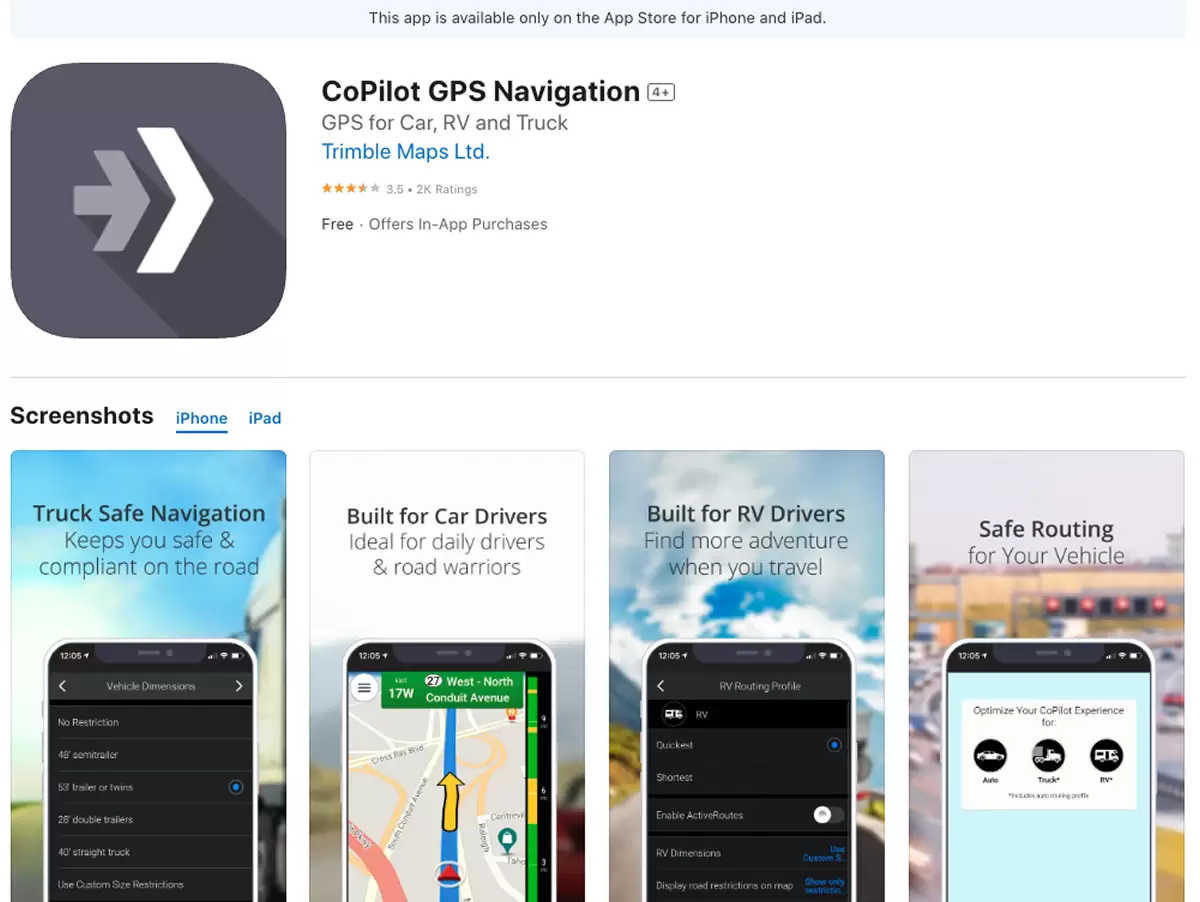
For semi-truck mode, CoPilot uses the PC*Miler engine, which is great — it’s specific software for semi trucks to avoid low bridges and truck-restricted roads. You do not need internet to use this GPS, which is great.
CoPilot is already used by more than a million drivers. The whole design is built for driver needs. You can try the app for free before you pay, which is great too.
Because the app works on the PC*Miler engine for semi trucks, this helps truck drivers a lot and keeps them away from trouble areas. You can plan a trip and add your equipment and load specifications. You also get real-time traffic and accurate ETA.
| Pros | |
|---|---|
| Real accurate | Routing/traffic/location are mostly accurate once set up. |
| Works offline | Offline maps in no-service areas |
| Customizable | Very customizable and easy day-to-day |
| Multi-stop & saved routes | One of the review from Bus Driver, and he loves to entering many stops and saving routes for reuse. |
| Low-bridge avoidance | No low bridges the 13.6 |
| Interective | Adding stops during the drive. |
| Map updates & fair price | Maps update often and price is reasonable. |
| Cons | |
| No Ethernet map updates | Can’t update over Ethernet |
| Problematic recent updates | Tiny interface, forced auto-zoom, random orientation, heavier battery/memory use, and features removed. |
| Aggressive auto-zoom | Zooms all the way in near turns |
| Occasional long routes | Ends drivers out of the way, through towns |
| Offline search | A lot of problems while search offline |
| Double billing | One user says they were charged twice per year and couldn’t contact support. |
Overall, I would use two apps at the same time:
Get highlights and special offers twice a month.
We use a tool to capture how users interact with our websites so we can analyze and improve the user experience. Clicking “Accept” allows us to use this tool when you visit our websites. For more information, read our Privacy Center article on Cookies and tracking.