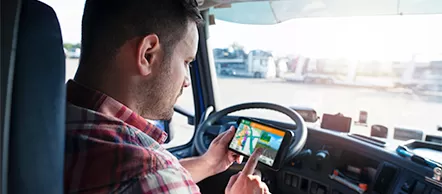
Trucker Path GPS App is a must-have helper app for most CDL drivers. Trucker Path is great for parking, showers, fuel prices, weigh stations, live cameras, and crowd-sourced updates. It’s not like CoPilot (PC*Miler) or a Garmin dēzl. Don’t use it as your only routing tool.
Why it matters
Day after day behind the wheel is stressful. You’re working, not vacationing. You need fast answers to:
- Where can I park and sleep?
- Where are showers, food, and DEF?
- What’s the fuel price at my next stop?
- Are weigh stations open?
- Is there construction or a closure on my route?
- Trucker Path puts that info in one place, so you stay safe, efficient, and on time.
Who it’s for
- OTR solo & team running multi-state weeks.
- Regional drivers need quick reads on parking and weigh stations.
- New drivers are learning where to stop and how to plan ahead.
What Trucker Path Does Best?
Lots of the info you need for trip planning, taking a break, or finding a safe place to sleep.
Truck Stops
- Big brands: Petro, TA, Love’s, Pilot/Flying J, independents, all the best truck stops
- Stop details: name, location, phone, hours, fuel prices.
- Free/paid spots, paved lot, overnight parking, showers, Wi-Fi, scales, ATM, tire care, pet friendly, laundry, fax/scan, DEF, gym.
- Real user photos, videos, Q&A, and reviews.
Parking Areas
- Lot name, location, short description.
- Estimated spot count, nightly price (if paid).
- Map view + visual of the lot.
- Walmart locations (including notes on overnight parking where applicable).
Traffic Cams
- Millions of live stills from highway cameras to check weather/backup conditions.
DOT / 511 Feeds
- Active construction, closures, and incidents.
- Exact locations, comments, work schedules, and last update time.
Weigh Stations
- Crowd-sourced “open/closed” status and posted hours.
Truck GPS (use with caution)
- Can generate truck-aware routes (height/weight/length).
- Aims to avoid low bridges, sharp turns, and tight streets.
- Night mode available.
- Important: Treat this as guidance only. Verify with a professional truck GPS or company-approved routing.
Extras
- Offers/discounts, CB radio notes, fuel deals (as reported by users).
Pros & Cons
Pros
- Best crowd-sourced parking intel in the game.
- Fast lookups for showers, fuel, DEF, and scales.
- Live cams + DOT feeds save you from surprises.
Cons
- Routing isn’t on the level of CoPilot/PC*Miler or a dedicated device.
- User-reported data can be wrong or stale—always double-check.
Trucker Path App: download & login (why it matters)
When you’re logged in, Trucker Path:
- saves your search history (so you can quickly find places you already checked)
- lets you write reviews
- lets you upload photos and videos
It’s the best way to talk with other drivers in the app.
Download the app
- Open the App Store (iPhone) or Google Play (Android)
- Type “Trucker Path” in the search bar
- Find Trucker Path and tap Get/Install
- After it installs, tap Open
Trucker Path Login (or create an account)
- Make sure the app is installed/updated via App Store or Google Play.
- Open the app → tap Profile or Sign In.
- Choose one:
- Email + password, or
- Continue with Apple / Google / Facebook (fastest if you already use those)
Quick tips
- New user? Tap Create account (or similar) and register with your email.
- Forgot password? Use Forgot Password to reset via email.
- Keep it secure: Don’t share your login. If you switch phones, just install the app and sign in again—your history and reviews will be there.
Bottom line & recommendation
Keep Trucker Path on your phone for planning and decision support. Use it to scout parking, fuel, and weigh stations, and to preview traffic/closures. For actual turn-by-turn, use a professional truck GPS.
Recommendation: Start with the Free plan. It’s enough for most drivers, and you can upgrade later if needed.